Archives

Testing Options for Homeschooling

Last week I wrote about the homeschool Written Assessment option if you are interested in learning more about that. This week I am addressing Option 1 for yearly assessments: testing. The requirement is that you must have your student take a nationally normed test. There are several from which to choose: California Achievement Test; The IOWA Test of Basic Skills, and the Stanford Achievement Test. I located a comprehensive comparison chart so you can determine which test is best for your family’s needs. Standardized Tests Comparison Chart.

Here are some things to keep in mind when considering testing:

Is your student reading well? I would not have a child take a standardized test if they are not reading independently or are not good listeners. In the younger grades, students read parts of it and also have portions of the tests read to them, but when they are in third grade they read all of it independently.

Some tests are not available for the primary grades. Be sure to check.

For some of the tests you order a specific test based upon the time of year. Students are expected to have acquired more knowledge at the end of the year as opposed to the beginning of the year.

Check the guidelines and whether you can administer the test yourself or if you have to have someone else administer it.

Consider the length of time for the test. Online is different than paper, and some tests have a shorter period in which you can administer the test.

Is there a deadline when your student can take the test?

See how quickly you get the results. There can be a spring rush and take more time to get the test results.

Where do I order tests? Here are two reputable testing companies from which to order tests. BJU Press or Seton Testing

Once you have your student’s results, you can fill out this form and return with next year’s notification form if you are going to continue to homeschool. Option #1

If your student is returning to school then you do not need to test or do a homeschool assessment. You enroll your student and the school will determine what placement testing they would like to do, if anything.

Have a great week! ~Lisa~

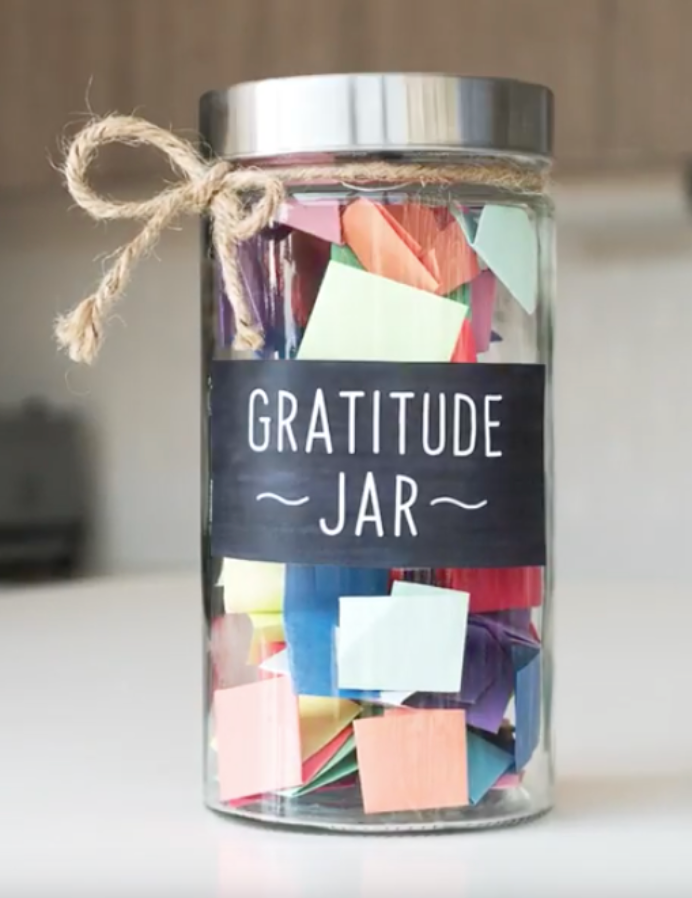
Gratitude/ Attitude Jar

If you are like me, you are beginning school again this week. It’s easy to lose sight of why you homeschool when January rolls around because no one likes to start back after having a break. How about combining a bit of art, writing and character traits to create a gratitude/ attitude jar? Here is what you will need:

1 jar

slips of paper

a pencil or pen

ribbon, jute, or wrapping paper cut down to size to fit around the outside of the lip of the jar

Give each person 3-5 slips of paper and write one thing you are thankful on each of the slips. Fold the paper and put into the jar. Once a week you can pull out one of the pieces of paper and read it aloud and discuss what is on the paper. You can replenish the jar throughout the year, especially if you have had a fun time doing something or have gone somewhere. When you stop to be thankful for something it really does help lighten your mood and focus on what is important.

If you are feel exceptionally “craftsy” then you can decoupage the outside of the paper with strips of tissue paper to create a stained glass effect.

It sounds like a great idea, doesn’t it, until you have your daughter/ son begin to write down items. I can think of several things that might spark some ideas for writing.

I am grateful for: a sibling (no fair using all three slips of paper if you have several children), holiday, parents, pet, a special vacation, toy, game, relative, a favorite memory, best loved season, thing to do, book, a memory verse

Have a great week! I am thankful for you following my blog. 🙂 ~Lisa~

Typing/ Keyboarding

key_homeWith so many students having to do distance learning this year, teaching typing would be a terrific benefit to them.

Here are some typing programs worth considering purchasing:

Typing Instructor for Kids This is the program I used with my sons. It has lessons, accuracy tests, and games to help them learn.

Jump Start Typing This computer typing program is for children in grades 2-5 and includes video clips for hand placement. We used this program as well, but the boys for the most part, had already learned the keyboard and this was reinforcement if they wanted more games to play. I know, extra-cautious homeschool mom syndrome 🙂

Mavis Beacon Teaches Typing is a classic computer program that would appeal to older students (junior and senior high school).

Online Typing Programs

Typing Web This is a FREE online program for typists of all ages and abilities. You can even print a certificate when you finish.

Typing Club is a free online typing program and has helped 23,000,000 students. That’s a lot of flying fingers over keyboards!

Dance Mat Typing is free and is offered through BBC so it has a Scottish accented sheep who is your typing instructor. It is for younger students, but the children are entertained with animated animals that rock n’ roll. That may not be what you are looking for in regards to learning to type as I noticed it can be distracting. If not, you can try one of the other programs.

I wanted to thank Justin for sending me some amazing websites for more online typing options: 

Keyboarding Basics You are sure to find a typing program that will interest your son or daughter on this website.

Learning to Type More Efficiently  This has typing education to help you with your typing skills and typing tests.

A special thanks to Mary Anne N for sending me all of these cool websites for typing.

Wristband Express 

Olivia Ingram and her class had a website they asked me to include that has even more keyboarding ideas! Thank you! 

https://wyomingllcattorney.com/Blog/Business-Typing-Resources

~Kjwq

oOps! I meant…

~ Lisa~

Project-Based Learning for High School

boy wearing yellow shirt while writing on white paper

Photo by Julia M Cameron on Pexels.com

Not everyone learns best by the traditional means of reading a textbook, and some subjects are better through hands-on experiences. I happened across a website that offers classes in the format of projects that are live, virtual project-based classes.

Sora offers a wide variety of work + study projects that students are doing with businesses and organizations. Pupils get the opportunity to collaborate with other  classmates and professionals to build a portfolio of real life experiences. High school credit is also given when students complete the class. Currently there are three tracks that are available: Content Writing, Graphic Design, and Video Editing, with plans to offer more areas of study.

Online classes are 5 Days/Week from 9:30AM-1:00PM EST and the student must complete 180 hours for each class.  A pupil can be enrolled in either their full-time program ($300-$800 per month) or their part-time program ($250-$500 per month). Some other nice features are grades and transcripts are given for completed classes and there are counselors to help guide your student with the graduation process. I think is a great help and takes the pressure off of you to decide credits given, classes to take, etc.

Sora offers an Open House for you to be able to see what it would be like to attend. This would be a way to have a first-hand experience of the program. Your student will participate in workshops and meet some of the students and staff. Here is the link for the Open House: CLICK HERE

Have a great week! ~Lisa~


Amoeba Sisters: Biology Fun

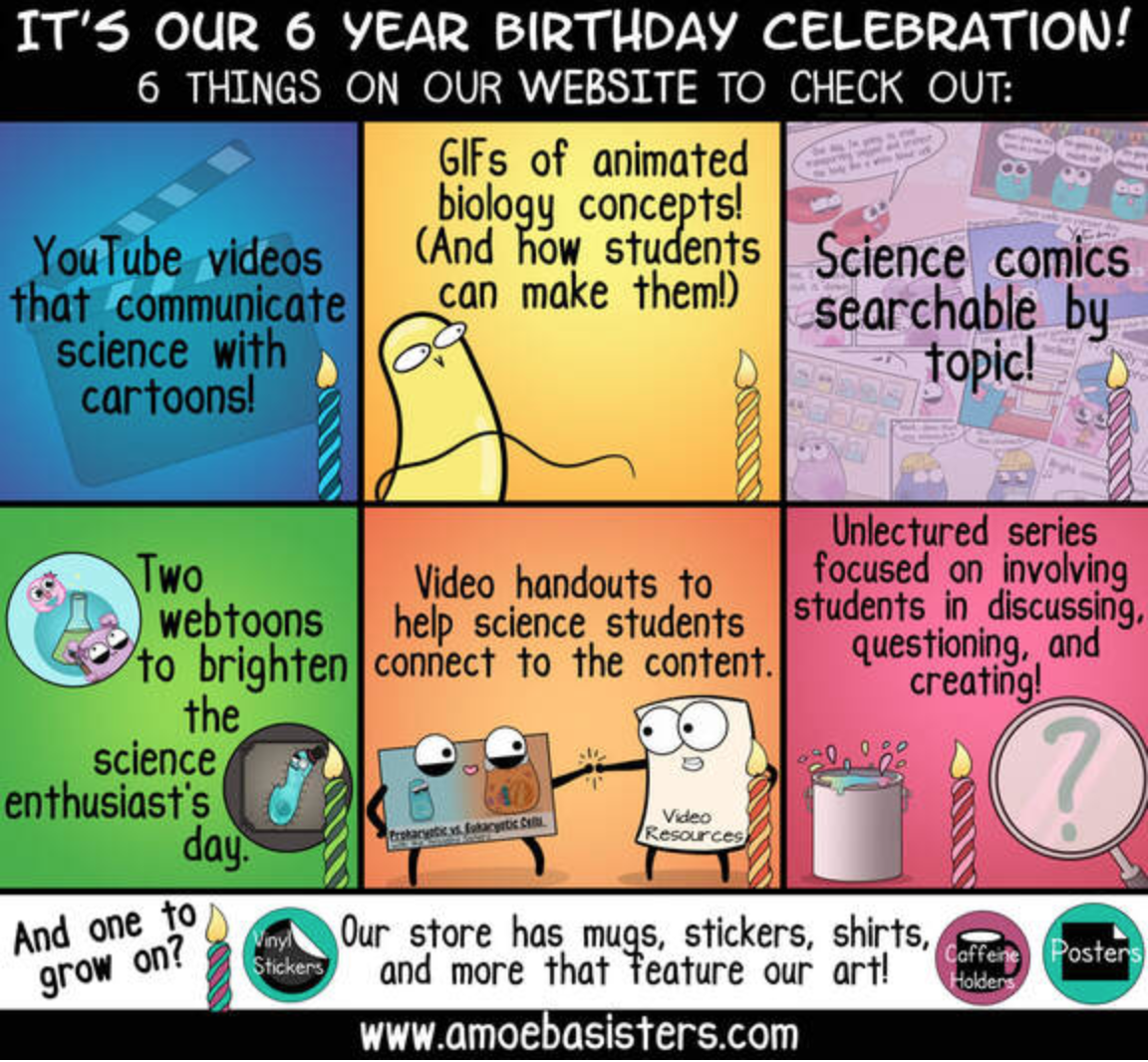
Biology can be boring, intimidating and frustrating if you don’t have an understanding of the topic. I have a great resource for you called Amoeba Sisters. These are 10 minute or less videos with fun cartoons and interesting biology topics. They also have gifs that you can print off as well as worksheets.

Here is a link to the videos:  Amoeba Sisters 

What about looking at their website? Clicking on the picture will take you to the website.

Screen Shot 2019-07-26 at 9.28.05 AM

Have a fabulous week! ~Lisa~